05 15:14:11 net-snmpd[5443]: Starting net-snmpd:
05 15:14:11 net-snmpd[5449]: /bin/bash: Line 1: /etc/net-snmpd: There is no such file or directory
05 15:14:11 net-snmpd[5443]: [ERROR ]
05 15:14:11 systemd: net-snmpd.service: Control process exited, code=exited, status=1/FAILURE
Failed to start LSB: NET-SNMPD Master Agent.
Can you tell me, is there any up-to-date and correct information on SNMP Agent settings?
It’s a bit more complicated than your answer. The net-snmpd file is a 32-bit file. You can check it with the command: file /opt/hcl/domino/notes/latest/linux/net-snmpd
The output will be as follows:
ELF 32-bit LSB executable, Intel 80386, version 1 (SYSV), dynamically linked, interpreter /lib/ld-linux.so.2, for GNU/Linux 2.2.5, not stripped
To solve this, install the glibc.i686 package: sudo dnf install glibc.i686
The fact that the distribution is 32 bit and this is not stated in the documentation is rather an omission of the documentation itself.
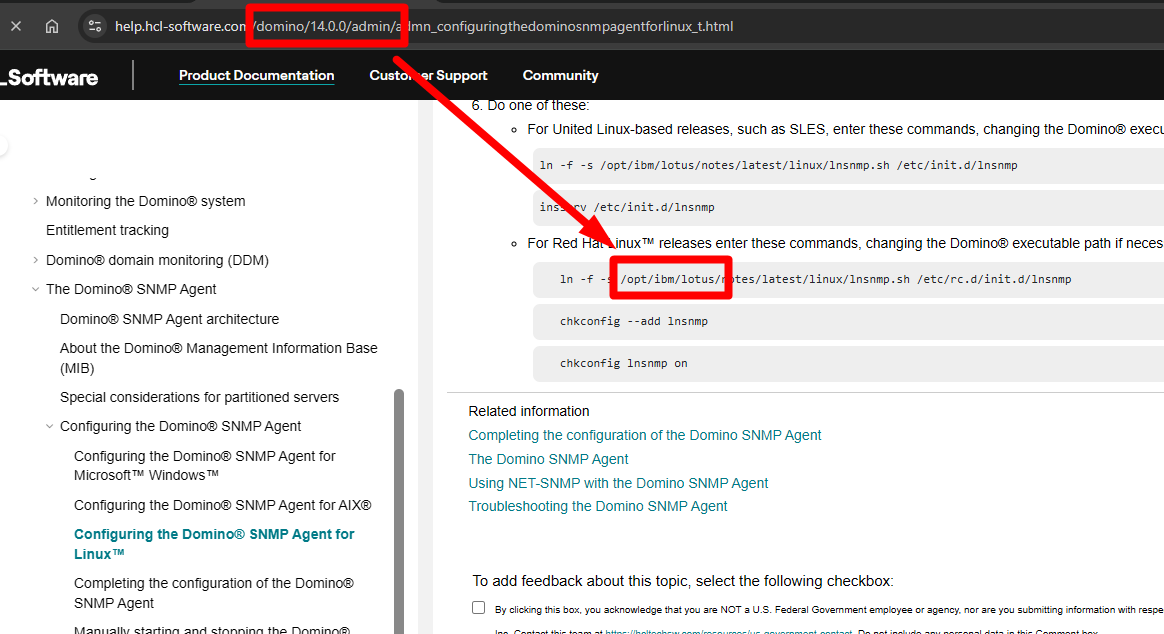
I would also like to point out that there are errors in the documentation, for example, the software is installed under the path /opt/hcl/domino, but the documentation for version 14 still says /opt/ibm/lotus.