Hello everyone,
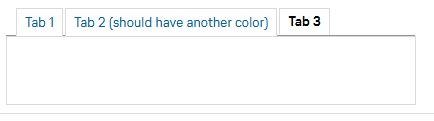
How can I change the color of the individual tabs in the tabbed folders? Not for all of them together, but only for tab 2, for example.
Many thanks
Vici
Hi Vici,
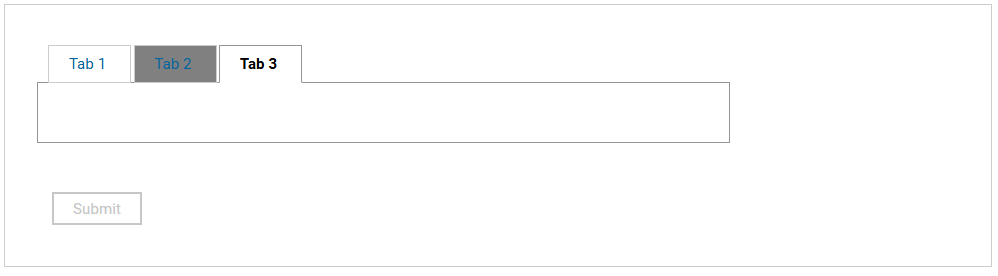
Please try this one:
.lfMn.lotusui30dojo .dijitTab:nth-child(2) {
background-color: gray;
}
Result:
Hope this helps.
Note: For your awareness, we have launched a new Digital Solutions Community site (https://developer.ds.hcl-software.com/) which includes our new product forums. The content for our legacy product forums will soon be migrated to this new site. If you haven’t yet done so, we encourage you to sign up on the site and engage with the community of experts for our products!
Thanks,
Jayve
Hi Jayve, thanks for the quick reply. Unfortunately, it doesn't work for me somehow. Which class do I have to call with onShow Event (item.addClasses(“className?”); I have already tried a few things, but unfortunately nothing has worked. Do you perhaps have a .leap file with the appropriate CSS? Is it possible to adapt the CSS code so that I can use it differently on different tab folders? Similar to what I use for the Formfieled-Section: .lfMn_lightgreen .lfFormFieldSectionTitle { color... }
Thanks again
Vici
Hi Vici,
Please see below my comprehensive answer:
1. First off for simplicity, go to your Leap app's style tab and copy that CSS code:
.lfMn.lotusui30dojo .dijitTab:nth-child(2) {
background-color: gray;
}
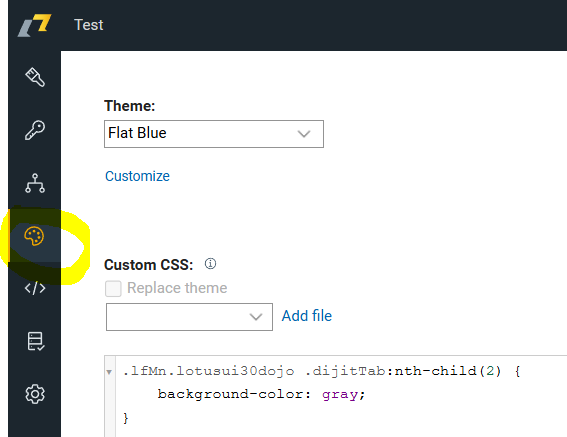
2. Explanation:
- The CSS class ".lfMn.lotusui30dojo .dijitTab" is class for each Tab in Tabbed Folder
- you need to concatenate ":nth-child(2)" to determine which tab you want to style. In your sample, tab 2 position is equivalent to (2) parameter. If you want to style other tab, please specify the position.
3. Save and deploy the app, it should work.
Note:
The only caveat of this CSS styling technique is, all your Tabbed Folder in any forms have will apply that style. So, the style is universal.
If you want to apply that style in one Tabbed folder. You need to follow the below steps:
1. Create another sample Tabbed Folder, and specify any class name you want in "Custom CSS class name".
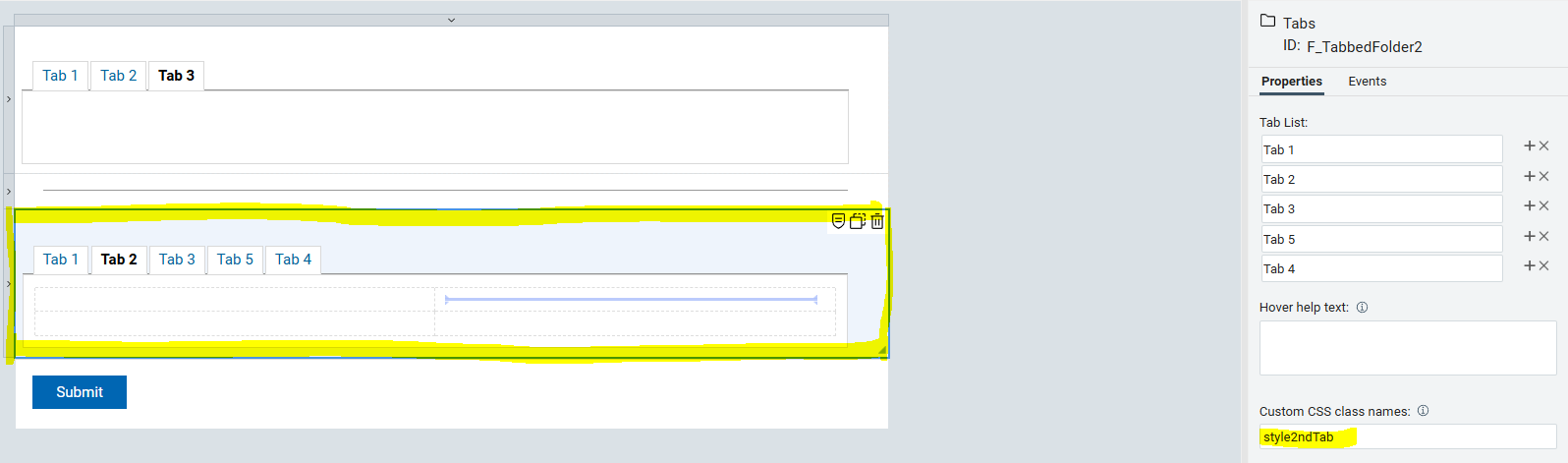
2. Go back to Style tab, and copy paste this new CSS code:
.style2ndTab > div:nth-child(1) > div:nth-child(4) > div > div:nth-child(2){
background-color: red;
}
Note:
In the highlighted red color, please specify the position you want to style (eg. background color). In your sample again, tab 2 position is equivalent to (2) parameter.
3. Save and deploy the app, it should work the same.
Final Result:
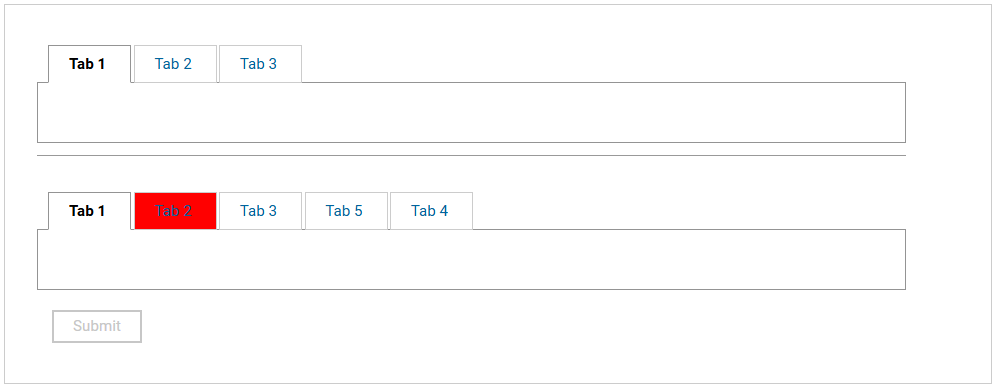
If you notice, the style is only applicable in one Tabbed Folder that has Custom CSS class name.
Please share the result.
Regards,
Jayve
You are great! That's exactly what I was looking for. Thank you very much!
Happy to help.