Change selected Email color background


Domino/Notes Version: 12 FP5
Add-on Product (if appropriate, e.g. Verse / Traveler / Nomad / Domino REST API):
Its Version:
Operating System:
Client (Notes, Nomad Web, Nomad Mobile, Android/iOS, browser version):


Problem/Query:

In Notes 12, the selected email is marked with a black frame in the overview.
In Notes 9, the selected area was filled in.
Is it possible to change this back so that the selected email is marked with a blue area?
Hi Andrew,

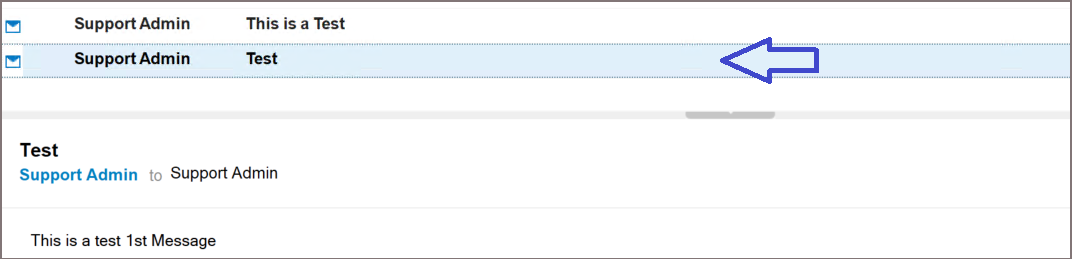
Is this the email background color you’re referring to? If possible, could you share a screenshot of how it appears on your end? I’ve tested using Notes 12.0.2 FP6 and I’m seeing a blue area.

If you are referring to a different issue, please let me know. Thank you.

1 Like

I now see Emails selected correctly. I have made no change in Notes but my Windows 11 OS has been updated. Thanks for your help.