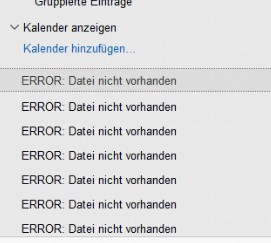
A user has read access to the calendar of another user. She wishes to add this calendar to her own calendar but this is not possible - the calendar can be selected but after clicking OK nothing happens. Also underneath “Add Calendar” there are several lines saying “ERROR: File not available”. What could be the problem here? I have already deleted the Cache and Workspace but this has not helped.
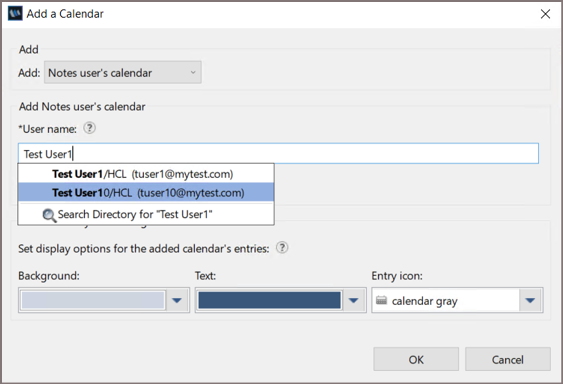
Hi Andrew, I’ve tested and was able to add another person’s calendar. Could you confirm whether the user was able to look up the calendar owner’s name from the directory—like this?
Thanks for your reply. It is possible to find the user calendar with the lookup. Both users have a customised mail template. The ACL and delegation settings are correct. However it is not possible for me to post a screenshot.
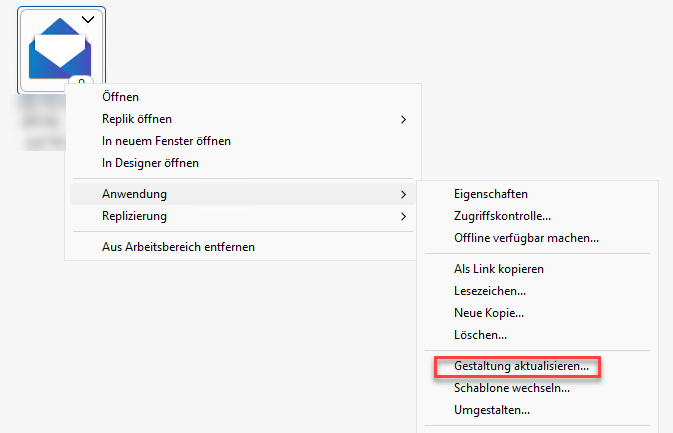
Hi Andrew, would you be able to test further by delegating a different calendar to the user and adding it to their calendar view? If the same issue occurs, we recommend recreating the calendar profile. Should the problem persist, we can have the user test using the standard mail template.
If all of these steps fail, we suggest opening a support case so we can troubleshoot the issue together via remote session.
Hi Andrew, you may refer to the following article, which also includes the link to the Admin tool:
Please note that after recreating the Calendar Profile, the mail file owner will default to the person who first opens the mail file. If you used the Admin ID, be sure to update the owner information accordingly:
From Notes, open the user’s mail file → select More → Preferences → Mail tab → Basics → update the Owner field.
I have just now tried this (delay due to the user being off sick) and unfortunately it did not help. I used the All In One Admin Tool to delete the Calendar Profile (as described here How to resolve issues related to Calendar Profile? ) Unfortunately this did not help. After removing the calendar profile I closed the Notes client, deleted cache.dsk and restarted notes. “ERROR: “ etc was still present in the user calendar. I cannot recreatte this problem using my Notes Client. It appears only on the user PC.
Yes, I tried that. I renamed it Workspace_BK which causes a new Workspace folder to be created after restarting Notes. Unfortunately this did not help.