Hi Roberto/ Fabio/ Jan,
To avoid confusion and pardon to reiterate that, before you run the agent from Domino Leap (DLeap) service, you need to check and follow the steps in creation of Notes document from DLeap service first to acquire UNID of the created Notes document.
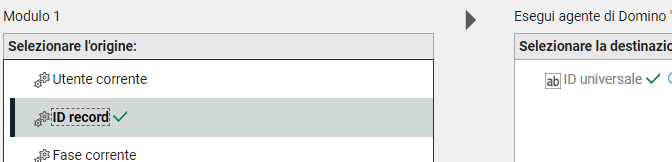
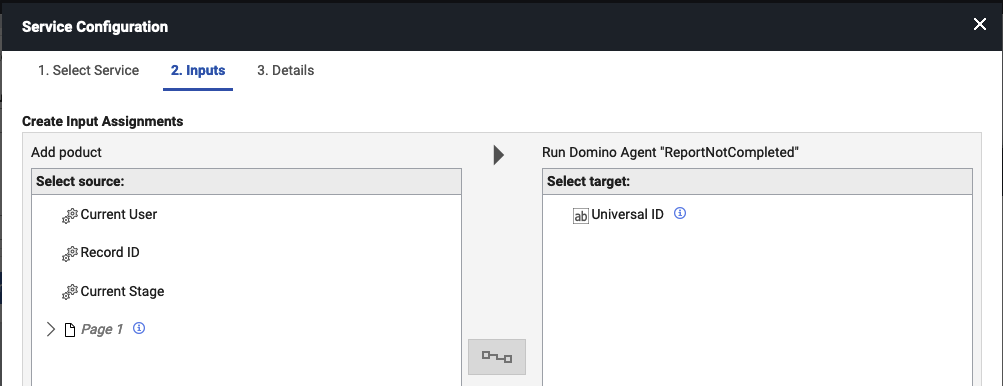
This UNID is required that you need to assign it as input when you setup the agent from DLeap service, and when the service is invoke, it will pass in agent's ParameterDocID to get NoteID of document:
YouTube demo link: HCL Domino Volt - Create a Notes Document from the Volt App
To elaborate what I mean, please see step-by-step below:
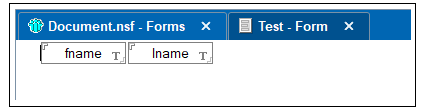
1. Go to Notes, and create Notes Database first.
2. Add Form, and add fields:
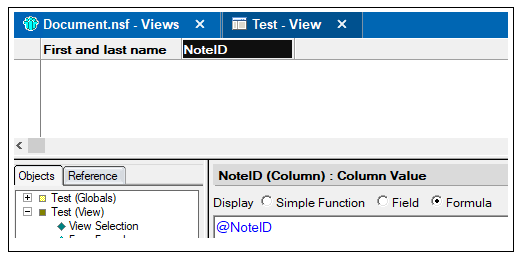
3. Create View to see created docs, and you can also follow the design:
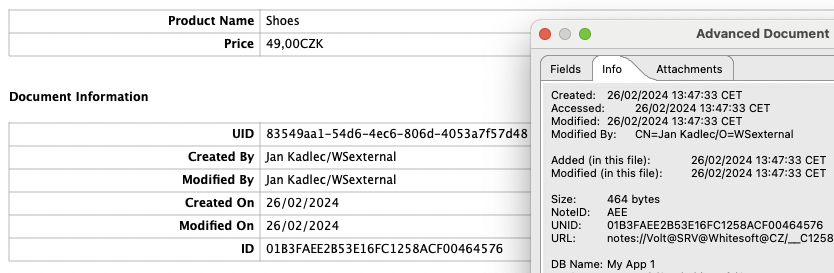
Note: The reason that there is a NoteID column, is because entry should match to ParameterDocID when we run agent from DLeap service. We will compare later.
4. Create Agent like LotusScript type agent.
5. Add this sample code below:
Sub Initialize
MessageBox "Test agent is running..."
Dim agent As NotesAgent
Dim sess As New NotesSession
Dim db As NotesDatabase
Set db = sess.CurrentDatabase
Set agent = sess.CurrentAgent
'Get ParameterDocID property of the agent to get noteID
Dim noteID As String
noteID = agent.ParameterDocID
'Display Notes document NoteID
Print "=============================="
Print "Notes Document NoteID: " & noteID
Print "=============================="
End Sub
Notes:
- Agent's Target should be None.
- We will run this agent from DLeap service later.
6. Go to DLeap, and create sample DLeap application.
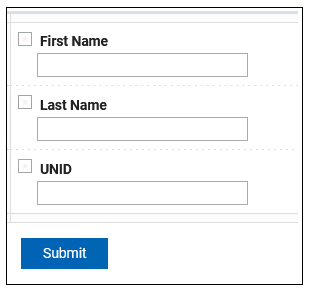
7. Add Form, and add the following single-line entry fields like the following:
Notes:
- UNID is required as we will acquire UNID of created Notes document when we call create Notes document from DLeap service.
- We will use UNID later as Input when we set-up Run Agent from DLeap service, in order to pass to the ParameterDocID property of the calling agent.
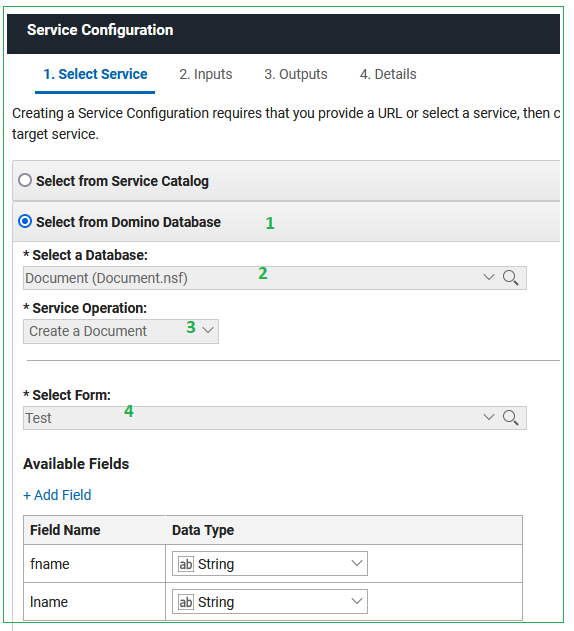
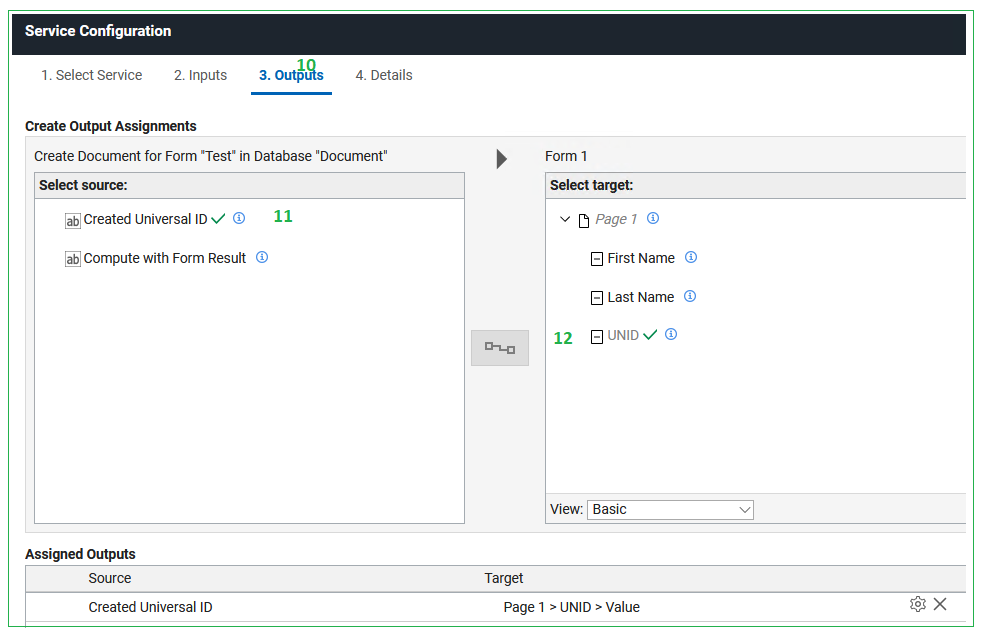
8. To setup Create Notes document from DLeap service, follow the screenshots below:
---
---
Note: As you noticed on #10, #11, and #12, we setup the output of the service in order to acquire UNID of created Notes document.
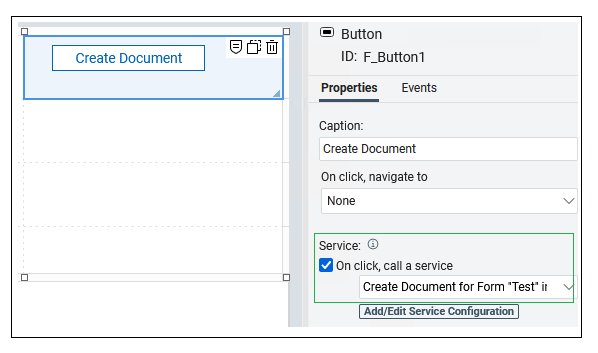
9. To test it, create button in the Dleap Form, and call this service:
Output (it will generate UNID once "Create Document" button is clicked):
Since we have UNID, we can use it as Input when we set-up Run Agent from DLeap service.
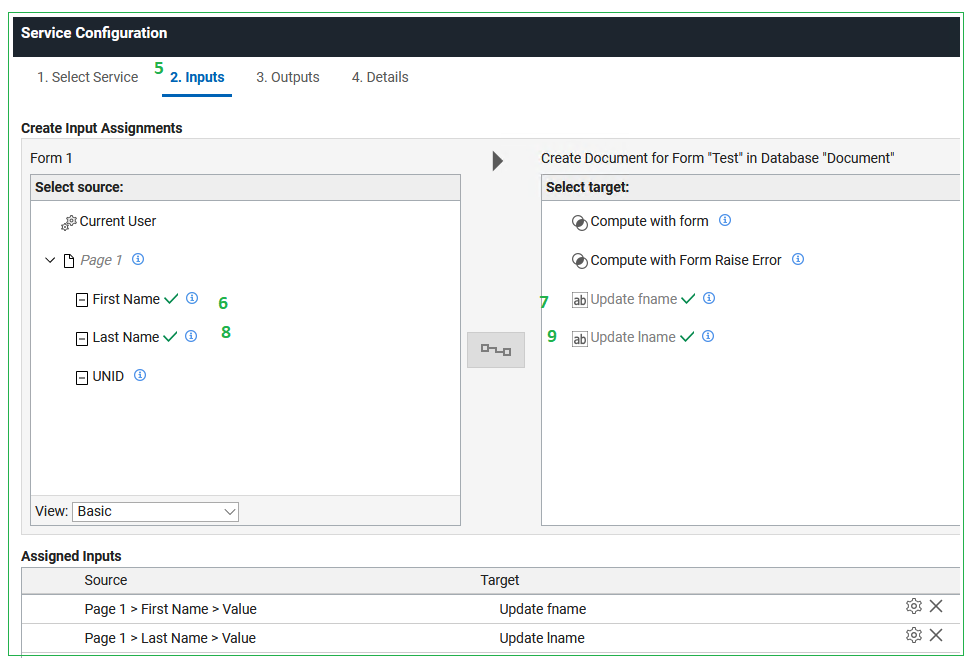
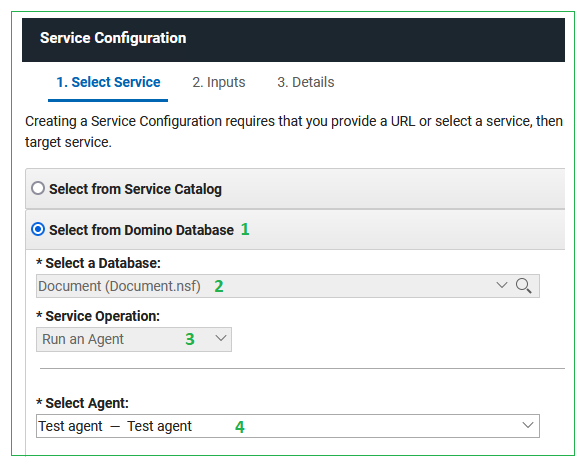
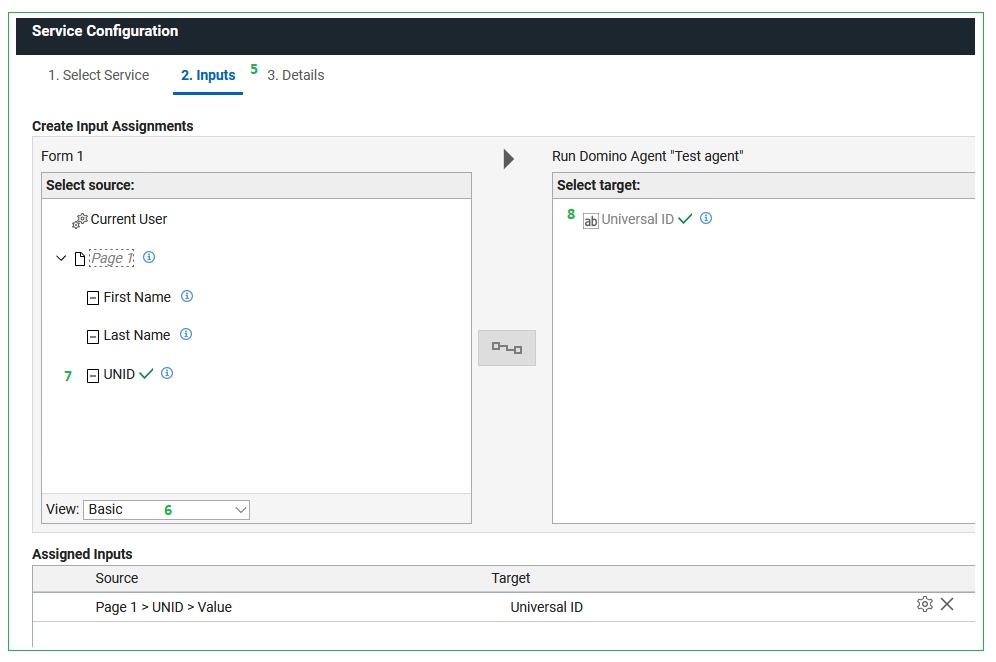
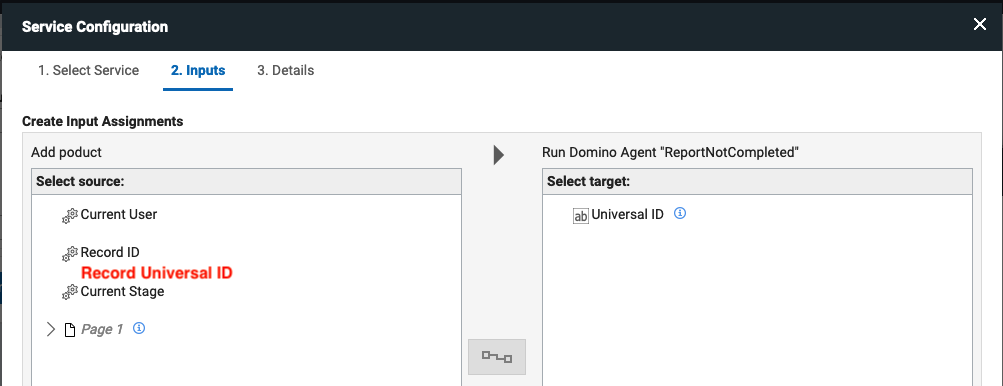
10. To setup Run agent from DLeap service, follow the screenshots below:
---
Note: As you noticed on #6, #7, and #8, we setup UNID as the input of the service to pass in agent's ParameterDocID once service called.
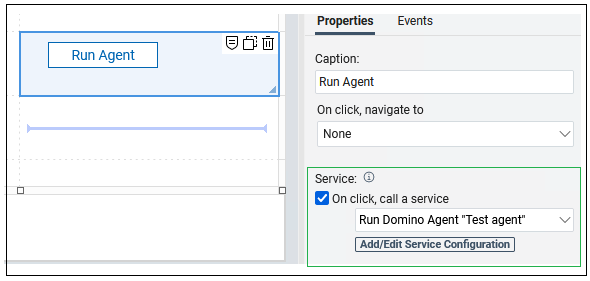
To demonstrate it, create button in the DLeap Form, and call this service:
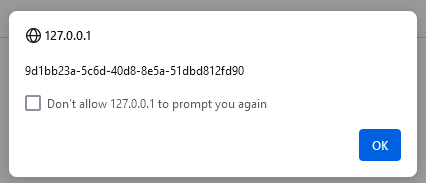
Output (it will run the agent code successfully once "Run Agent" button is clicked):

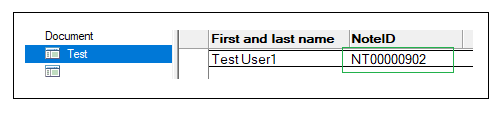
Since we need to compare if the NoteID is correct, go back to the View in Notes, and check, it should be the same:
Note: This is sample demo only, you can always call services anywhere depends in your requirement.
If you think an answer answered your question, please accept it. It will benefit others having same problem / query.
Hope this helps.
Thanks,
Jayve