Hi, I'm looking for support for the following scenario:
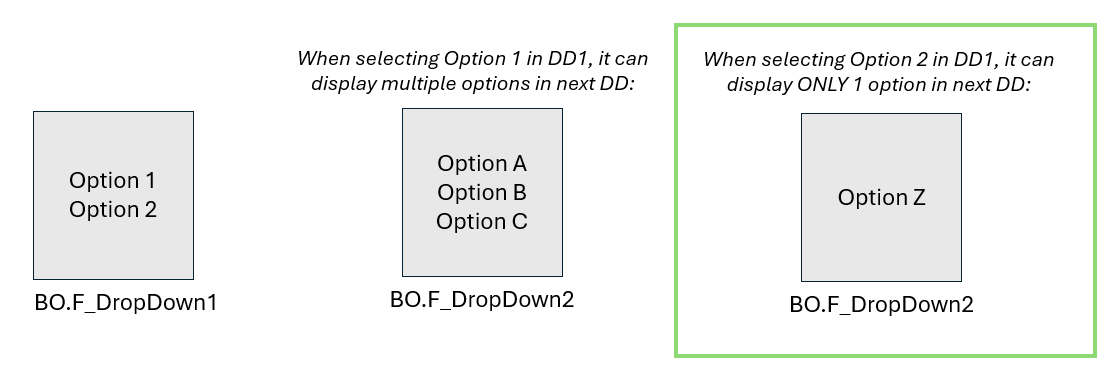
I have 2 dropdown fields
Dropdown #2 is dependent on Dropdown #1 options
In some cases, Dropdown #2 will only display 1 option when selecting an option within DD #1
How can I automatically display in DD #2 the only one option that can be displayed there after selecting an option in DD #1? I want to avoid users to manually click the DD #2 and choose the only one option available
Thanks in advance!
You can use javascript for that in the onItemChange of the first dropdown:
// get the options that are available in the dropdown
var opts = page.F_DropDown2.getOptions();
// set the value of the dropdown to the first (and only) item

if (opts[0]) {

BO.F_DropDown2.setValue(opts[0].value);

}
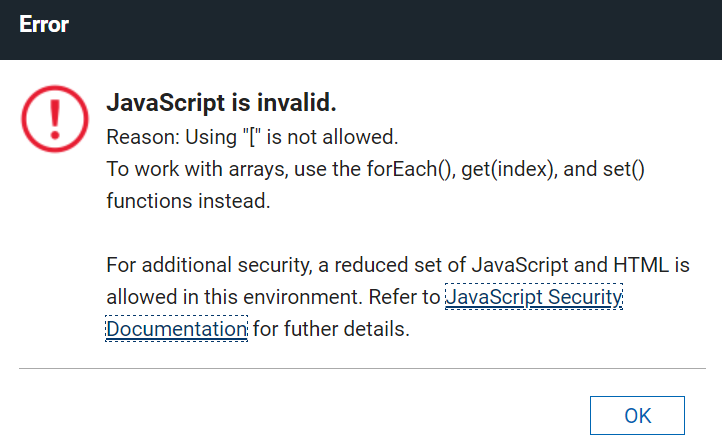
Hi Christopher, I didn't run the code. I'm getting the following error when checking syntax:
Looks like you have secureJS = true, where you cannot use the array notation ([]). So you would have to change the code to look like this:
// get the options that are available in the dropdown
var opts = page.F_DropDown2.getOptions();
// set the value of the dropdown to the first (and only) item

var firstOpt = opts.get(0);

if (firstOpt) {

BO.F_DropDown2.setValue(firstOpt.value);

}
Hello Guillermo,
I believe this is continuation of your previous post:
The code BO.F_DropDown2.setValue(opts[0].value); given by Chris will work if the secureJS in your configuration is disabled.
I would like to add two things:
- Add a reset, by setting the display value of F_DropDown2 back to an empty string in case the set options is more than one.
- If the secureJS is enabled, use the equivalent code to BO.F_DropDown2.setValue(opt.pop().value);
Pop() method in Array object removes the last element from it and returns that element.
Since there is only one value in the Array, this method is applicable as it will return that element, and you can access the value property of the option object.
// Validation of options to set in DD2 based on DD1 selected option
var opt = "";
switch(item.getValue()) {
  case 'Option 1':
    // Set three options for Option 1 = Option A, Option B, Option C
    opt = new Array({title:'Option A', value:'Option A'},
                    {title:'Option B', value:'Option B'},
                    {title:'Option C', value:'Option C'});
    // Reset display value
    BO.F_DropDown2.setValue("");
    break;
  case 'Option 2':
    // Set one option only for Option 2 = Option Z
    opt = new Array({title:'Option Z', value:'Option Z'});
    /* Since there is only one option, set it automatically to DD2 display value
    to avoid users manually click the only one option */
    BO.F_DropDown2.setValue(opt.pop().value);
    break;
  default:
}
page.F_DropDown2.setOptions(opt);
Hope this helps as well.
Thanks,
Jayve
It worked! Thanks to both