Introduction
Starting version 9.5.63 (for the 9.5.x release stream ; 10.x version not yet released - Jul 8 '26), an additional level of protection is enabled (by default) for your iOS and Android binaries generated in Protected or Release mode(s).
Details:
Starting version 9.5.63 (for the 9.5.x release stream ; 10.x version not yet released - Jul 8 '26), an additional level of protection is available for your iOS and Android binaries generated in Protected or Release mode(s). Additionally, this additional protection is enabled for these builds by default.
While this provides an additional layer of security, it also increases build time based on the complexity of your application. There is no impact on the execution/performance of the application on a device.
While we strongly recommend you keep this setting turned on, if - due to business requirements - you choose to disable this additional protection to reduce build time(s), you may do so by adding the below property in projectProperties.json inside your project workspace.
“enableAdditionalBinaryProtection”: “false”
To re-enable it, delete this property, or set the value to “true”.
This change has to be done for each project you want to disable additional protection for.
Note: Always restart Volt Iris after modifying the projectProperties.json file for the changes to take effect.
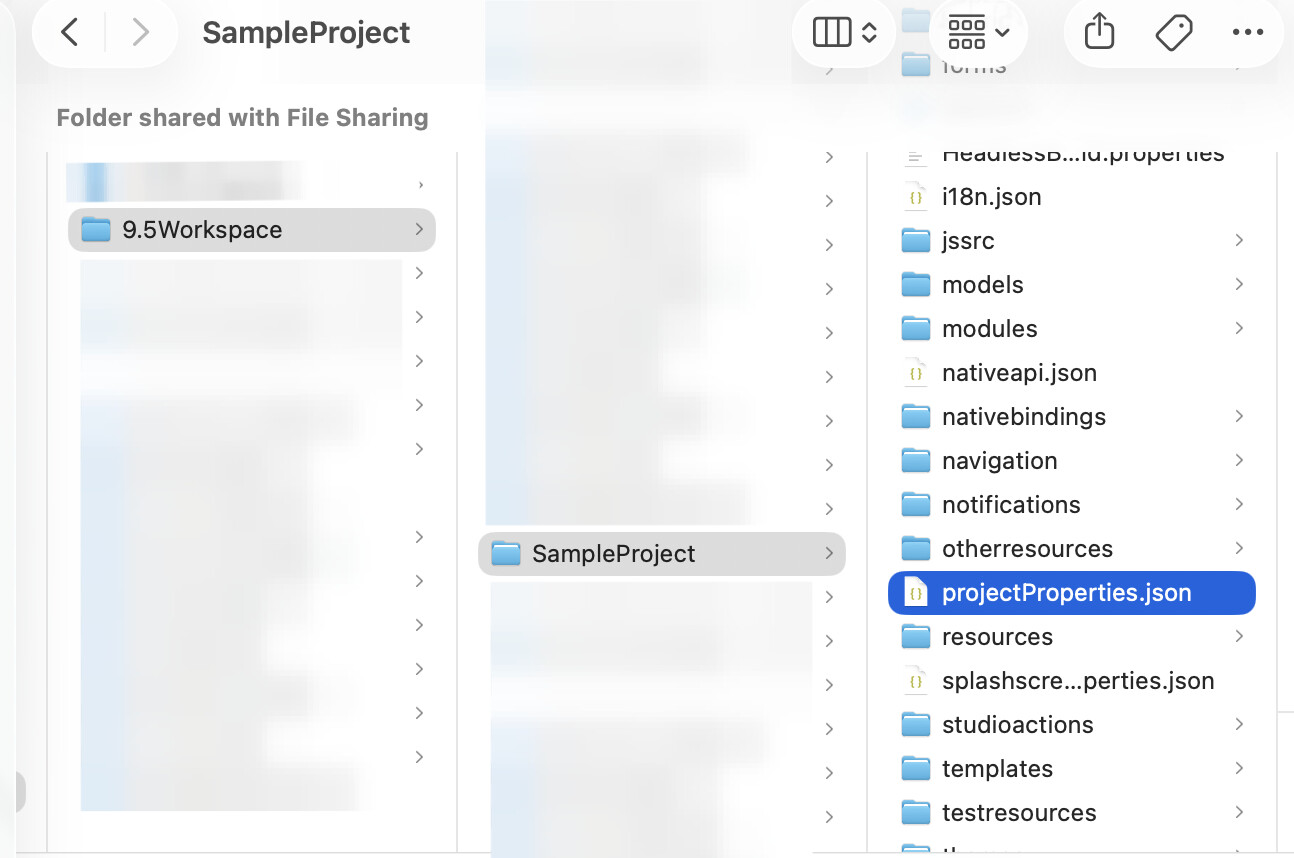
(Path to projectProperties.json in workspace)
Add the below key/value in projectProperties.json to disable additional binary protection.


(Volt Iris Console logs with enableAdditionalBinaryProtection set to true)

(Volt Iris Console logs with enableAdditionalBinaryProtection set to false)