Please complete the details below then remove this line:
Domino/Notes Version: 14.5 FP1 Operating System: Windows Server 2022
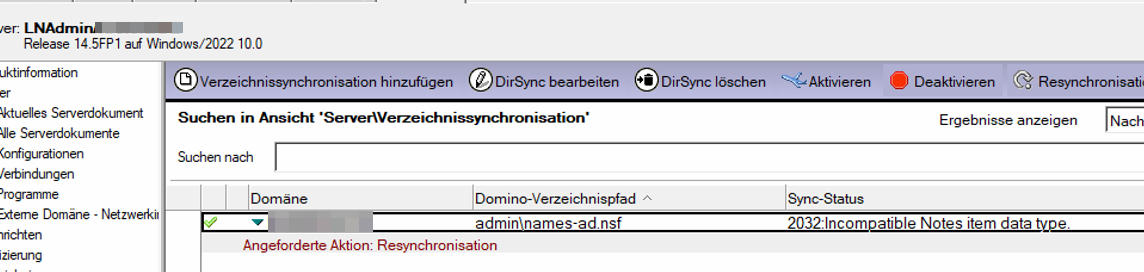
Problem/Query: 2032:incompatible notes item data type
Hello all,
AD sync works fine. But now this error is shown:
We have created an additional database with design of NAB.
Any thoughts?
Many thanks.
Hubertus
Sooraj
October 30, 2025, 3:44pm
2
Hello, Could you add the debug DIRSYNC_DEFAULT_ARGS=-v and check the server console log for any additional errors logged?
Thanks
Hello ,
sure. On comming Monday I have a remote session with the customer.
Regards
Hubertus
Sooraj:
DIRSYNC_DEFAULT_ARGS=-v
Hello Sooraj,
after deleting the configuration and recreating it, the error no longer occurs.
The customer requires customized field mapping.
How to configure customized field mappings?
Thanks a lot.
Hubertus
Sooraj
November 3, 2025, 10:11am
5
Hubertus:
Hubertus
Hello Hubertus,
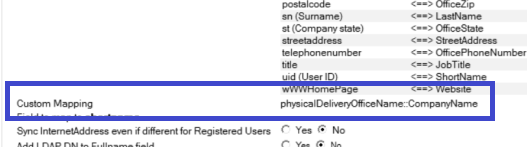
You can use the “Custom Mapping“ option for this.
Refer to the product document → Creating a Directory Sync Configuration document
For example : If you want to sync the attribute value of office name[physicalDeliveryOfficeName] in the AD with the company name[CompanyName] in the Domino\person document, use the syntax ==> physicalDeliveryOfficeName::CompanyName
Hope this helps.
Thanks
Hello Sooraj,
many thanks for your answer.
In which section or field exactly do we have to put this?
==> physicalDeliveryOfficeName::CompanyName
Can you give me some screenshots from a working system?
Kind regards
Hubertus
Hello Sooraj,
okay, thank you.
And if I have a lot of customized fields?
Hubertus
Sooraj
November 3, 2025, 12:04pm
9
Sooraj:
Hello Hubertus,
Hello Hubertus,
Separate them with a “, “.
Hello Sooraj,
does not work.
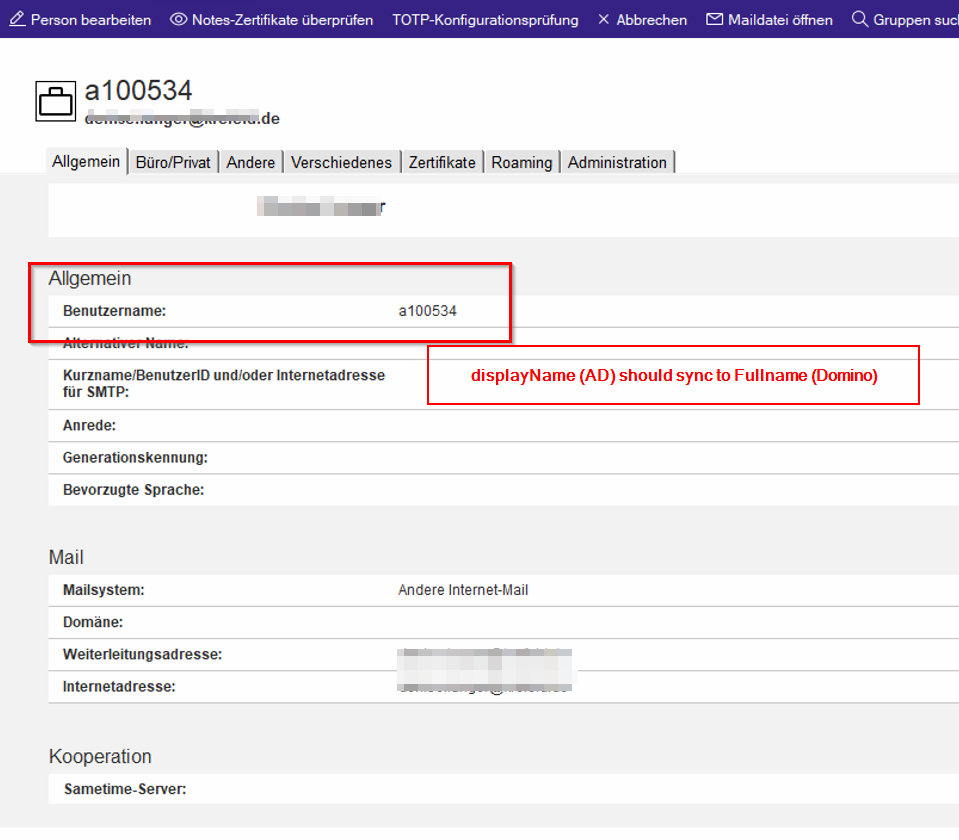
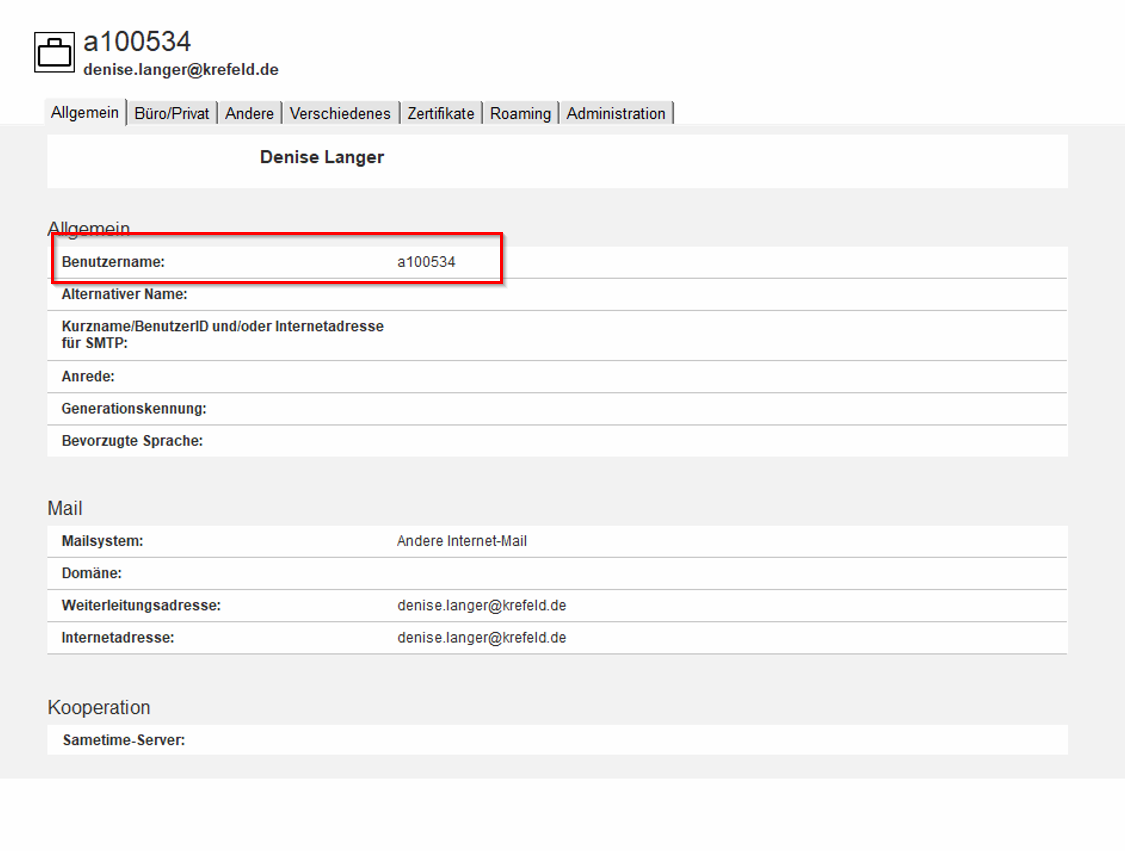
Customer wants to change the Fullname field.
This should be Firstname Lastname:
But the Personalnumber is set.
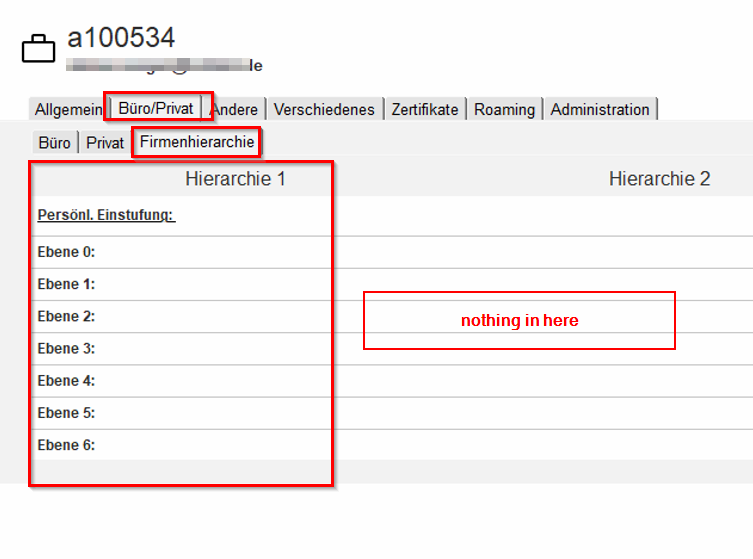
And those fields should be filled:
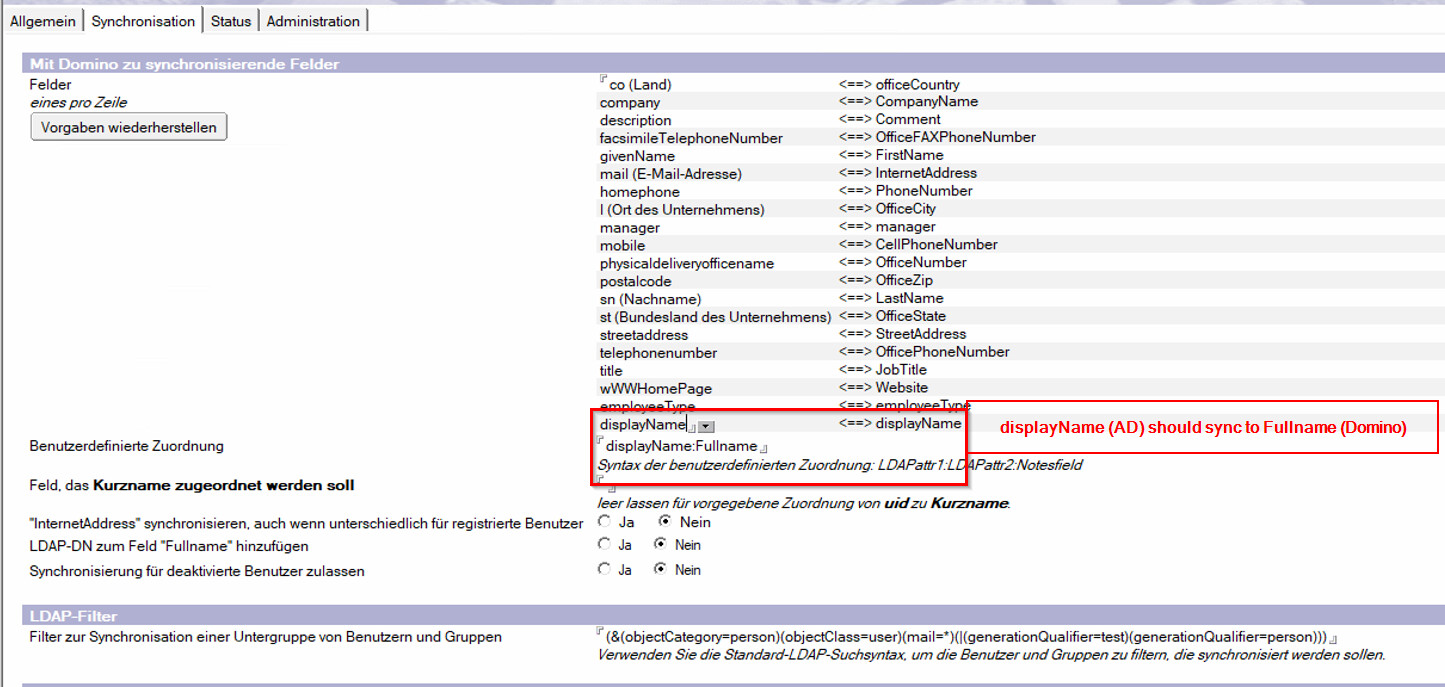
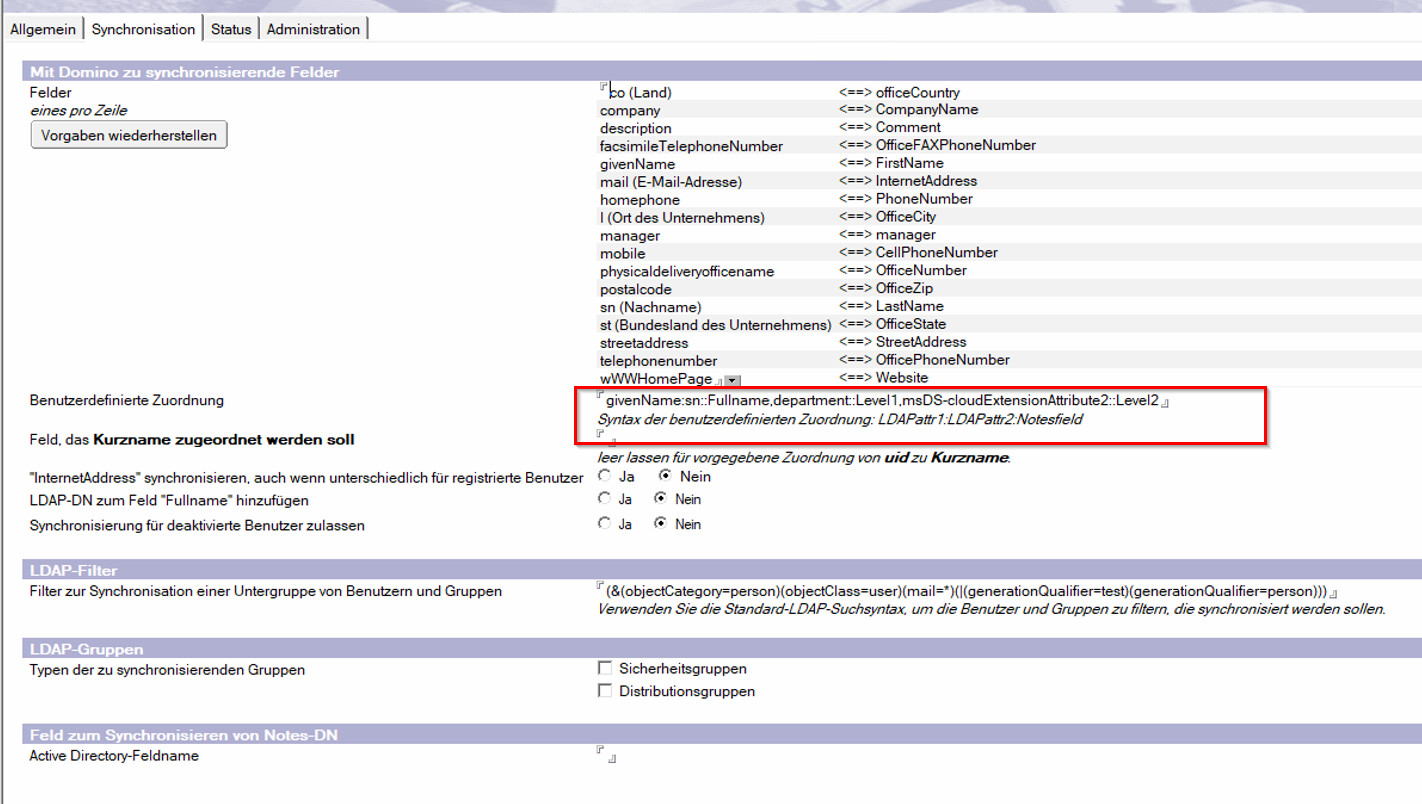
Here is the config:
The single colon is intentional. Using this example, we want to write two attributes in one field.
Sooraj
November 4, 2025, 4:58pm
12
Sooraj:
Hello Hubertus,
Hello Hubertus,
This may require log analysis and a review of configuration settings. I would suggest opening a case with HCL support to investigate the issue.
Thanks
Hello Sooraj,
ok, many thanks so far.
I will open a ticket and mark this thread as solved.
Kind regards
Hubertus