Trying to install the AppDev pack 1.0.5 on a test Domino 11.0.1 running on Windows 10 following the offical instructions at https://doc.cwpcollaboration.com/appdevpack/docs/en/domino-install.html
I've exracted the binaries from 1101-proton-addin-0.7.0.zip to C:\Program Files\HCL\Domino, and tried copying the adpconfig.ntf to the Domino data directory
C:\Program Files\HCL\Domino\data
and then restarted the server.
When I try to run:-
load design -f adpconfig.nsf
I get the following error:-
PROTON: Unable to open database 'adpconfig.nsf': File does not exist
PROTON: Error reading configuration from database.
PROTON: Error initializing configuration from database.
PROTON: Invalid client authentication setting.
PROTON: Load command is invalid. Exiting.
Admin Process: Searching Administration Requests database
I've also tried copying the adpconfig.nsf to:
C:\Program Files (x86)\HCL\Notes\Data
Have I put the file in the right directory, or am I missing something?
You have to create the database adpconfig.nsf based on the adpconfig.ntf on your Domino Server directly in data directory not locally in Notes client Data directory.
This is mentioned in installation instructions:
Use adpconfig.ntf to create a new database called adpconfig.nsf on the Domino server
Hi Ben,
It seems to me that you have not created new database adpconfig.nsf using the given template adpconfig.ntf.
As mentioned by Mathias, you need to create new database adpconfig.nsf using the template adpconfig.ntf.in the folder path "C:\Program Files\HCL\Domino\data".
You can refer the step "Prepare the configuration database" given in the same documentation.
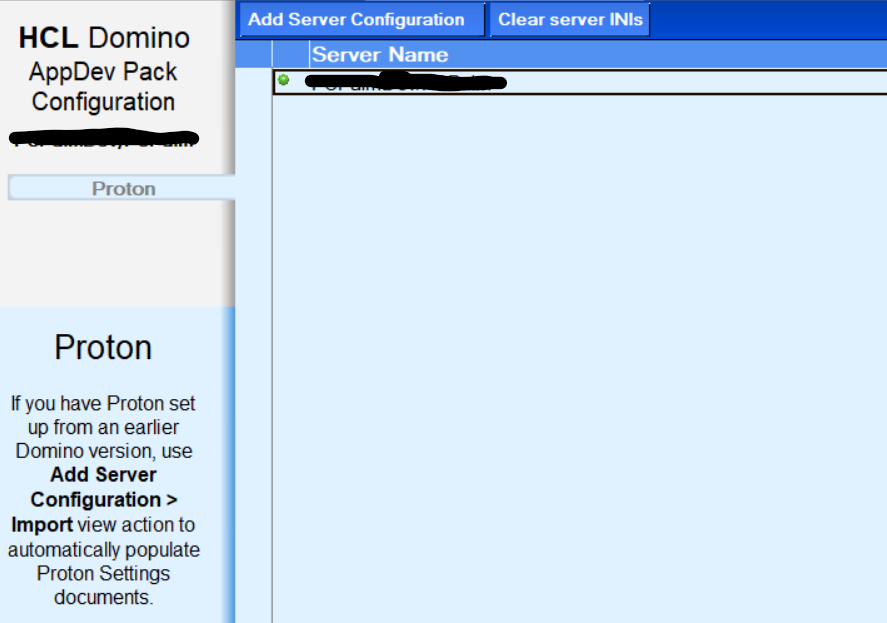
I have run the template file from Domino Administrator, clicked Add Server Configuration, made some changes and clicked 'Save and Exit'. It shows the name of my server under server name, doesn't seem to have created the adpconfig.nsf database file.
The `load design -f adpconfig.nsf` command updates the design of an existing adpconfig.nsf. If adpconfig.nsf doesn't exist, it needs to be created using the adpconfig.ntf template in the data directory of the server where proton is installed.
Ben, you can follow below steps to create adpconfig.nsf
1. Go to your Notes client and Press CTRL + N to create new Application. A window will popup as shown in below given screenshot.
2. Select you server from dropdown in "Specify New Application Name and Location".
3. Provide Title and File name as mentioned in the screenshot.
4. Now select your server from dropdown in "Specify Template for New Application".
5. Select checkbox "Show advanced templates".
6. Now select the Template "Appdev Pack Configuration" from the list.
7. Click on OK button. adpconfig.nsf will get created in "C:\Program Files\HCL\Domino\data" folder.