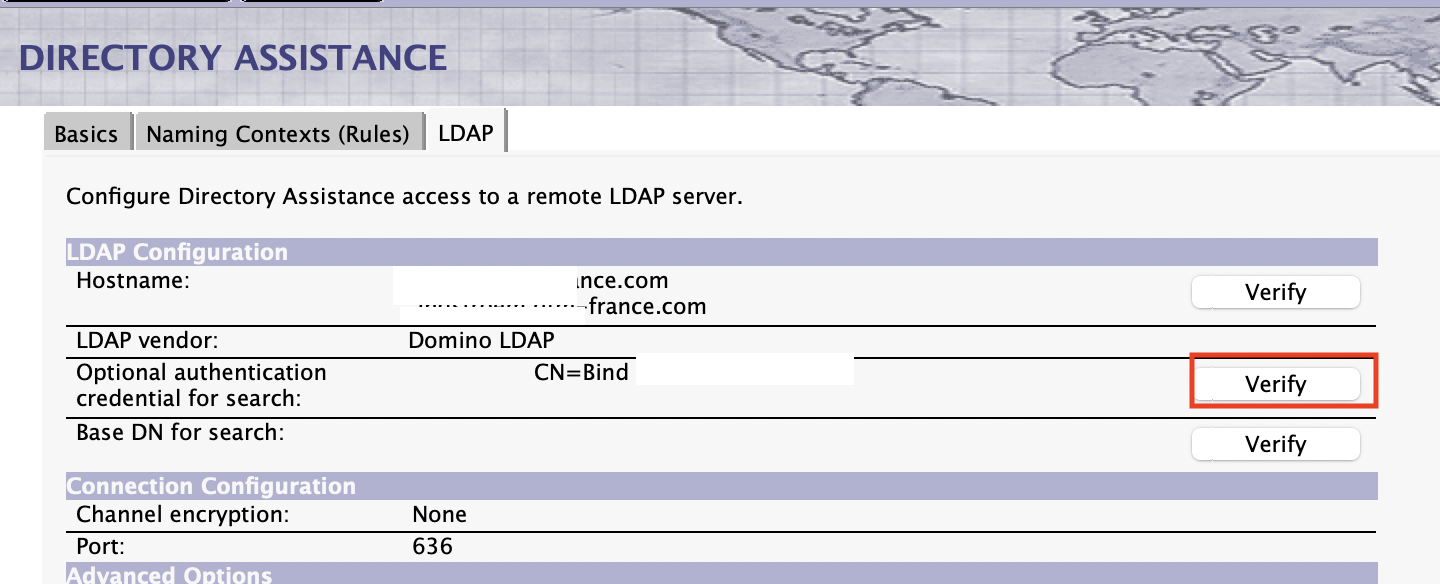
I'm trying to setup Directory Assistance against Active Directory following this guide: https://help.hcltechsw.com/domino/12.0.0/admin/conf_adsync_directory_assistance.html
We are using Domino 12.0.2.
When clicking "Suggest" at the Hostname field my 2 DC's are showing up as expected. But when clicking "Verify" I get a failure. In serverlog I see these lines:
29.03.2023 21:40:49 LDAP Server is NOT available. 29.03.2023 21:40:49 Error attempting to access the Directory *MyDCName.MyDomainName.LOCAL:389 (no available alternatives), error is LDAP Server is NOT available.
When using a LDAP client on the Domino-server I can perfectly acces LDAP on my DC.
I'm kind of stuck and need some help to troubleshoot - any suggestions ?
Hi Jesper, We got it working pretty well. The thing that tripped us up is that we have 2 DCs like you but didn't know we had to install a Domino server on each DC, so Domino can talk to DC1 and to DC2. Because Domino drives everything in our organization, we didn't want AD to overwrite Domino groups & users except the Password. So we opted out of the Directory sync and kept the Password Sync working. Either way, I know things have changed a little bit from 12.0 to 12.0.2, so you might want to read the new material (link below).
Well actually my only goal is to use the Password Sync. But according to the documentation (https://help.hcltechsw.com/domino/12.0.2/admin/conf_adsync_password_sync.html) one of the requirements is:
Directory Sync must be enabled with users' Active Directory information synced to the primary Domino directory.
What am I missing since you "opted out of the Directory sync and kept the Password Sync working" ?
Jesper, Sorry for the late reply. Honestly, I had so many minor issues with setting this up, I had HCL take a look and they tweaked several things before it started working. The documentation on this feature really needs to be re-worked.
No sure, but just in case, click Verify near the LDAP/AD Bind Account, your AD probably does not allow anonymous access, the very first "Verify" button is ok if Anonymous is authorized, I am using port 636 because of LDAPs if your configuration is not the default port is 389
For the Verify button to work, you do need to have access to the ldap port of the 2 dc (it is your Notes client who connects NOT your domino servers), so first telnet your 2 DCs from your Notes client computer (ldapsearch -h <your host> -D bindname -w password "cn=*"
I seem to recall that there is a piece of Java code behind the Verify button. The Notes client JVM is not updated too often. It could be that the JVM and the LDAP server do not find common ciphers for encryption.